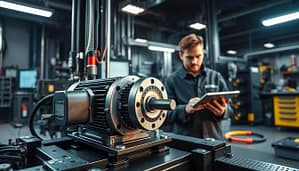
Forget everything you’ve heard about chasing cartoon monsters on your phone. The real augmented reality revolution isn’t happening in a park. It’s happening on a factory floor, where the stakes are measured in downtime and dollars.
We’re talking about the art of laying a transparent, interactive schematic over a greasy, real-world industrial lathe. It’s like having a ghostly Swedish engineer point at the exact bolt you need. This is the core of modern augmented reality training.
The foundational shift here is brutally simple. We’re moving complex data from separate binders and PDFs into the worker’s direct line of sight. These digital overlays turn a machine into its own manual.
This isn’t sci-fi for its own sake. It’s a direct, analytical response to two massive industrial headaches: widening skills gaps and the absurd cost of flying a global expert to point at a single valve. Think of it as getting subtitles for reality itself.
This approach to guidance, much like the digital worker guidance used in advanced manufacturing, solves operational bottlenecks by making information intuitive and immediate. It’s the industrial equivalent of a just-in-time knowledge delivery system.
Expert insights from AR technology developers
Forget about fancy presentations. The real value in AR tools comes from developers who’ve tested them in real-world settings. I’ve talked to these engineers, who work in environments full of noise and grease. They offer a clear view beyond the hype.
Their goal isn’t to impress with holograms. It’s to make tools that help you understand, not just tell you what to do. Imagine having a guide who shows you the next step, not just tells you.
This approach changes how we think about user assistance. It’s not about adding flashy graphics. It’s about creating a smart layer that knows what you need to do. One developer said, “If the interface makes you think about it, we’ve failed.”
Projects like DeWalt’s DeepSight platform are key. They’re not just for show. They’re designed to be real operational tools. They focus on practical uses, like training and sharing knowledge.

The magic happens when AR makes complex information easy to follow. It turns hard data into simple steps you can follow. This is the essence of user assistance. It makes data useful.
The dream is to capture all the knowledge in a shop. Every place has a person who knows everything. AR is seen as a way to keep that knowledge alive. It prevents a loss of expertise.
Their wisdom is simple: a tool is only as good as the knowledge it has. These smart tool interfaces aim to make knowledge accessible. They want to ensure the right information is always available.
Tool manufacturer implementation strategies
Integrating AR into tool manufacturing is a big decision. It’s like choosing the right team for a mission. The wrong choice can ruin your plan.
Manufacturers have to decide on hardware first. They can choose smart glasses or rugged tablets. This choice depends on the job environment.
For example, a technician in a jet engine needs smart glasses. They show important information right in the technician’s sight. This makes the job easier and safer.
A building inspector, on the other hand, might prefer a rugged tablet. It’s better for looking at blueprints and taking notes. The choice depends on how the tool is used.

After choosing the hardware, manufacturers must decide on the software. They can go for SaaS or on-premise solutions. This is a big decision about flexibility and control.
SaaS is easy to update and scale. It’s great for companies that don’t want to manage servers. But, it means paying a subscription and trusting the cloud.
On-premise solutions give full control. They keep data safe and performance steady. But, they require a lot of IT work.
The best approach is to mix both. Companies should choose based on their needs. For example, a global contractor might prefer the cloud, while a defense contractor needs on-premise.
Adding AR to tools is about changing how work is done. It’s about picking the right tools and systems. Get it right, and you’ll see amazing results. Get it wrong, and you’ll waste a lot of money.
Field Testing Programs
Forget the big, flashy launch. Rolling out augmented reality training should start more like a clinical trial than a blockbuster premiere.

You don’t bet the farm before testing the soil. Your first foray is a controlled, focused experiment. Pick one nagging process—the one with the constant expert bottleneck or the frustratingly high error rate.
This is where you introduce a digital assistant. The goal isn’t perfection. It’s proof. Did the visual overlays cut mistakes? Did live user assistance slash downtime?
The data from this controlled chaos is your ultimate ammunition. Hard numbers turn skeptical stakeholders into curious allies. You’re not selling magic. You’re demonstrating measurable cause and effect.
That successful pilot? It’s the compelling business case, written in results, not hype. It’s the foundation for everything that comes next.
Professional training program effectiveness studies
Most professional training is often a snooze fest. But, augmented reality training is shaking things up. It’s moving from boring lectures to interactive digital experiences.
Studies show promising results. They offer data that makes operations managers take notice. It’s not just about cool graphics. It’s about real learning gains.

Dissecting the Learn-by-Doing Data
So, what does the data say? Traditional methods are being outdone. Immersive AR training offers a safe space to learn from mistakes without real-world consequences.
This approach builds muscle memory. Trainees learn the right sequence before touching real tools. Studies show a 40-70% reduction in time-to-competency. What took weeks now takes days.
But speed isn’t everything. Here’s where it gets even more interesting. The “forgetting curve” that plagues traditional sessions is flattened. Six-month retention rates for procedures learned in AR environments often exceed 85%. This is way better than the 20-30% retention from a week-old seminar.
Let’s break down the key findings:
- Faster Proficiency: Complex assembly tasks are mastered up to three times faster.
- Deeper Retention: Knowledge sticks because it’s linked to physical action and spatial memory.
- Error Reduction in Live Work: Fewer mistakes are made on the first real attempt, boosting safety and quality.
Now, for the skeptic’s question. Does this create truly confident practitioners or just skilled button-pushers? The evidence leans toward the former. Confidence comes from repetition without risk. By the time a technician dons the real tool belt, they’ve already performed the procedure perfectly a dozen times in simulation. This doesn’t create robots. It creates prepared professionals.
The numbers tell a compelling story. Augmented reality training isn’t a gimmick. It’s a fundamental upgrade to how we build expertise, turning tedious orientation into an engaging, results-driven science.
User adoption rates and learning curve analysis
You can lead a technician to a holographic overlay, but you can’t make them tap ‘accept’ if they see it as a digital babysitter, not a digital co-pilot. The real learning curve for any new smart tool interface isn’t measured in minutes of tutorial video. It’s measured in the quiet moments of distrust before the first use.
I’ve watched brilliant tools die on the vine. The code was elegant, the graphics crisp. Yet, the rollout failed. Why? The team saw the new layer of data as a report card, not a roadmap. Adoption is a cultural negotiation, not a software update.
Decoding Resistance: It’s Not You, It’s the Story
Think of a veteran electrician. His hands know the feel of a correct connection. Now you hand him glasses that project a wiring diagram. Is it a threat? Does it imply he’s forgotten? Or is it an expert’s advantage, letting him verify complex panels in half the time?
The answer depends entirely on the story told before the tool is ever switched on. Clear communication is the bedrock. Effective training isn’t about button locations. It’s about demonstrating, unequivocally, how this user assistance makes a specific task easier, safer, or faster. You must show the “why,” not just the “how.”
This is the human element of change management. The fear isn’t of technology. It’s of obsolescence. A successful narrative flips that script. It positions the AR overlay as the ultimate wingman, amplifying the user’s existing skill and guarding against costly mistakes.
| Cultural Factor | High-Adoption Team Behavior | Low-Adoption Team Perception |
|---|---|---|
| Communication | Leaders frame AR as a productivity “power-up” for experts. | Tool is announced as a mandatory monitoring system. |
| Training Focus | Hands-on sessions solving real, frustrating problems. | Theoretical overviews focused on software features. |
| Early Feedback | Pilot users are celebrated as internal innovators. | Early bugs are cited as proof the tool “doesn’t work.” |
| Perceived Value | The tool saves time on tedious verification steps. | The tool adds extra, unnecessary steps to a known process. |
The table isn’t just academic. It’s a diagnostic sheet. Where does your team land? The path to high user adoption rates is paved with trust, not features. The most elegant smart tool interfaces in the world become very expensive paperweights if they fail this simple, human test.
The goal is to make the learning curve feel like a short ramp to a clear benefit, not a wall of confusion. When the story is right, the interface disappears, and all that’s left is a better, more confident craftsman.
Real-World Applications
Enough with the theory. Let’s move from the whiteboard to the workbench, where augmented reality gets its hands dirty.
This isn’t about “digital transformation” as some abstract boardroom buzzword. It’s about the technician who no longer needs to memorize 47 installation steps. They’re painted directly onto the machine in front of them. Welcome to the factory floor of the near-present.
What’s the real value? Preventing a $10,000 part from being installed backwards. Turning a three-day downtime saga into a three-hour video call. These aren’t futuristic promises. They’re current events with implications as practical as a correctly torqued bolt.
We’re seeing digital overlays create guided workflows on the assembly line. We’re watching user assistance evolve into remote expert sessions with live annotations during a service call. Even training has been revolutionized with safe, immersive walkthroughs.
Forget the flashy demos. The true magic happens when the virtual meets the visceral, and the instruction manual comes to life right before your eyes.
Step-by-step guidance systems in complex operations
Remember the frustration of trying to figure out a flat-pack furniture manual? It had a confusing doodle in step three that could be a screw or a small animal. Now imagine that manual is projected onto the furniture itself, with glowing arrows showing you exactly where to put the screws. Augmented Reality makes this leap, turning confusion into clarity.
This isn’t about making things simpler. It’s about making them foolproof. The goal is to turn high-risk tasks like aircraft maintenance or surgery into clear, step-by-step processes. The digital overlays act like a second brain for your tools.
The Anatomy of AR-Guided Procedures
So, what does this look like in real life? Forget about a PDF checklist on a tablet. We’re talking about a dynamic, smart layer of information. Let’s dive into the details.
- Visual Spotlighting: The system doesn’t just tell you to find the primary pressure valve. It highlights the exact valve you need to touch, even if it’s hidden among many others.
- Data at a Glance: As you look at a connection point, the required torque spec appears right next to it. No more switching between manuals and tools. The info is right where you need it.
- Animated Intelligence: For tricky tasks, like threading a cable through a tight space, a short animation plays on the equipment. It’s like having an expert’s hands guiding yours.
This changes the worker’s role. The mental load drops significantly. You’re no longer juggling memory, interpretation, and execution. You can focus on the quality of your work.
The system checks each step, often requiring a visual confirmation before moving on. This turns a procedure into a safe, step-by-step process. It’s exactly what you want when mistakes can be costly.
The field data is clear. In AR-guided maintenance, step-by-step guides are shown directly on the equipment. Visual cues help pick the right tools, and animations show the exact motion for tricky parts. This isn’t just a concept; it’s happening today in aviation, energy, and advanced manufacturing.
This shift is profound. We’re not making tradespeople less skilled; we’re making the process better. The wisdom of experts is built into the system, allowing skilled technicians to perform complex tasks with precision. It makes expertise easier to share. For those in this new world, understanding the differences between AR ecosystems is key, as not all systems are the same.
In the end, these systems change complex work. They turn a skill that relied on intuition and experience into a science. The blue wire is always highlighted, the torque is always right, and all you need to remember is to put on the headset.
Error reduction and safety improvement metrics
What’s the true cost of a mistake? For management, it’s a line item; for augmented reality, it’s a design flaw in the workflow. We’ve moved beyond hoping people don’t slip up. Now, we’re engineering the environment so they can’t. This section isn’t about finger-pointing. It’s about data points.
The Price Tag on Imperfection
A misplaced component isn’t just a rework. It’s lost time, wasted material, and a ding on your brand’s reputation. A preventable safety incident? The toll is measured in human terms first, followed closely by insurance premiums, OSHA reports, and morale that plummets faster than a dropped wrench. Relying on memory and paper manuals in complex tasks is like navigating a minefield while reading a novel. You might get through, but the odds aren’t great.
This is where the paradigm shifts. Instead of adding more rules, we add a smarter layer of guidance. Digital overlays act as a persistent, patient quality inspector superimposed on the real world. They don’t get tired or distracted. They highlight the correct part, show the exact torque sequence, and flag a possible misalignment before it’s bolted in for good.
Learning to Fail Safely
The other half of the equation is practice. Traditional training for hazardous procedures often involves crossing your fingers and hoping the trainee’s first real attempt isn’t their last. Augmented reality training flips this script. It lets an electrician practice working on a live panel, or a mechanic disassemble a volatile system, with the same risk level as playing a video game. You can fail safely a hundred times. The only cost is a virtual reset button.
The metrics from early adopters are telling a compelling story. We’re seeing measurable reductions in three critical areas:
- Defect Rates: Guided workflows cut procedural errors at the source.
- Material Waste: Doing it right the first time means less scrap and reorder.
- Recordable Incidents: Simulated hazard practice builds muscle memory without the danger.
The connection between problem and solution becomes crystal clear when we map the data. It’s not magic; it’s better information delivery.
| Persistent Problem Area | Traditional Countermeasure | AR-Enabled Solution | Measured Impact |
|---|---|---|---|
| Workplace Safety Incidents | Classroom lectures, warning signs | Simulated Hazard Training | Up to 70% reduction in trainee exposure to real risk during onboarding. |
| Frequent Production Errors | Checklists, supervisor oversight | Guided Assembly Workflows | Defect rates drop by 40-60% in complex manual assembly tasks. |
| High Material Waste | Post-job inspection, rework | Real-Time Digital Overlays | Waste from incorrect installations reduced by an average of 35%. |
The final takeaway? You’re not just buying a tool with AR. You’re investing in a system where precision and safety are baked directly into the operational code. The numbers prove it’s cheaper—and far wiser—to build a better process than to keep fixing the same old mistakes.
Expert User Feedback
Let’s be honest. The best tech reviews often come from people who never used the product on a busy Tuesday. The real truth? It comes from those who use it every day.
This section is a curated listening session. We’re tuning into the contractor who ditched three heavy binders. We’re hearing from the specialist whose reach exploded from two field teams to ten. Their stories are the ultimate case studies.
But true user assistance means listening to the grumbles, too. Complaints about battery life, screen glare, or a clunky menu are not failures. They are the raw data for your next iteration.
This unfiltered feedback on smart tool interfaces is the real roadmap. It separates the authentic game-changers from the high-tech gimmicks collecting digital dust. What works? What’s just window dressing? The people on the front lines have the answers.
Professional contractor experiences with AR-enabled tools
In the world of construction and repair, AR faces its toughest critics: seasoned contractors on tight deadlines. This isn’t a lab. It’s where time is money, mistakes are costly, and tools must perform every time.
Forget the glossy brochures. I’ve listened to the real stories. They’re not about specs or power. They’re about whether a smart tool interface works well under pressure.
The Grunt Test: Intuition Under Pressure
One electrician put it well: “My hands are full, my headlamp is dying, and I’m in a crawl space. If I have to think about the menu on my drill, I’ve already lost.” This is the grunt test. Does the tech fit into the real work rhythm?
The best feedback talks about when the tech disappears. A plumber loved a pipe-cutting guide with a laser line. “It was just there. Like my tape measure grew a conscience. I didn’t ‘use’ it; I trusted it.” That’s what makes a good smart tool interface.
But there are also horror stories. An HVAC technician had a bad experience with a complex user assistance overlay. “It was like a video game tutorial that wouldn’t shut up. I knew the problem was in the compressor, but the display kept highlighting the fan relay. Great graphics, wrong room.” When the guidance isn’t right, it’s just noise.
So, what makes a tool useful? Contractors say a few things are key:
- Glance-and-Go Data: Critical info—like torque specs and level—must be seen quickly, without scrolling.
- Fail-Simple Design: If the AR fails, the tool must work perfectly as a basic tool.
- Contextual Smarts: The best user assistance knows when to speak up and when to stay silent.
These experiences show a key truth. AR in the field is about flow. It’s the difference between a tool that helps you in tight spots and one that adds frustration. Contractors who use it are looking for a real solution to their daily challenges.
The verdict from the field? When it’s designed for their needs, it’s essential. When it’s not, it’s just another thing to complain about.
Productivity impact measurements and efficiency gains
Productivity metrics show us how efficient we are. We’ve moved past wondering if AR works. Now, we prove how much it improves things.
Forget feeling busy. True productivity is shown in numbers. A technician might fix things 40% faster with AR. We look at user assistance and augmented reality training to see the impact.
The Quantifiable Leap: From Assistance to Acceleration
Imagine a field service call without AR. A technician might spend 20 minutes searching or calling for help. AR makes instructions appear on the equipment, saving 10-15 minutes per call.
Training is another area where AR shines. Traditional training takes weeks. But AR training makes learning fast and interactive. Trainees can become competent in just ten days, not six weeks.
The data shows AR’s impact. Here’s a look at common challenges, AR solutions, and the results.
| Industrial Challenge | AR Solution | Measurable KPI Impact |
|---|---|---|
| High travel costs for specialist dispatch | Remote expert guidance via AR glasses | Reduced travel expenses by up to 60% |
| Lengthy onboarding for new technicians | Interactive, step-by-step AR training modules | Decreased time-to-competency by 70% |
| High defect rates in assembly | AR visual work instructions highlighting correct parts and placements | Lower defect rates by 45% |
| Repeat site visits due to unresolved issues | Real-time diagnostic data overlay and remote collaboration | Improved First-Time Fix Rate (FTFR) by 35% |
| Excessive downtime during machine repairs | AR-assisted fault finding and part identification | Reduced Mean Time to Repair (MTTR) by 50% |
Look at that last row: a 50% reduction in MTTR. In manufacturing, downtime costs thousands per minute. Cutting that time in half is a big win.
The numbers tell a story of change. User assistance makes things clear right away. Augmented reality training makes novices proficient quickly. It’s not about working harder; it’s about working smarter.
So, when someone says a tool boosts productivity, ask for the numbers. With AR, you’ll get a spreadsheet full of convincing data.
Technology Roadmap
So, where is all this headed? Forget the holographic utopia from sci-fi trailers. The real journey for industrial tech looks less like a SpaceX launch schedule and more like urban planning for your digital workforce.
It’s a pragmatic, phased crawl-walk-run. We’re talking about a four-stage implementation: Discovery, Vendor Selection, Scaled Rollout, and Measuring Success. This isn’t about flipping a switch.
The evolution of smart tool interfaces is key. They’ll morph from clunky add-ons into seamless, native integrations. Think of them becoming as intuitive as the handle on a wrench.
Also, digital overlays will get richer and more contextual. They might even become predictive, serving up information before you know you need it.
The roadmap’s true north isn’t dazzling features. It’s steady, scalable integration into the gritty, beautiful reality of industrial life. Let’s map that journey.
Current limitations and development priorities
Exploring the latest in AR tool interfaces is exciting, but it comes with challenges. Battery life, connectivity, and user assistance are major hurdles. It’s like we’re on version 1.0 of the future. Recognizing these issues is key to moving forward.
The Hardware Hurdle: Battery Life and Field of View
Battery life in AR glasses and devices is a big problem. It limits how long you can use them. Imagine needing to find a charger by lunchtime.
The field of view is another issue. It’s often too narrow, making it hard to see what’s around you. Developers are working on better batteries and displays to fix these problems.
The Connectivity Conundrum and Data Dilemma
AR needs a stable connection to work well. But, in many places, this is hard to get. This makes user assistance systems unreliable.
Data security is also a big concern. Streaming important data over weak networks is risky. Developers are focusing on making tools work offline and securely.
The Human Factor: Clunky Interfaces and Change Management
Even the best hardware is useless with bad software. Some smart tool interfaces are too intrusive. They can be distracting and unhelpful.
Changing how we use AR is hard. It requires us to trust digital tools more. The goal is to make AI that understands our tasks better, helping us without getting in the way.
These challenges—power, connectivity, and smarts—are not roadblocks. They guide us to the next big steps. The focus is now on solving these issues, making today’s problems tomorrow’s solutions.
Future AR features and capabilities in planning
The future of augmented reality training and tools is exciting. It’s like a sci-fi story turning into a real guide. We’re not just seeing better screens or longer battery life. The big change is moving from just helping us to working with us.
This change will mix data and reality in a smart way. It will make our work easier and more efficient.
From Static Maps to Living Landscapes
Today, digital overlays are like a manual in your view. They’re helpful but not smart. The future will make them come to life.
Imagine a wiring diagram that shows you the next step as you finish the last one. Or a thermal overlay that turns red when something gets too hot.
This change comes from AI and better sensors. The system won’t just show data; it will understand the scene. It will know if you’re holding a drill or if the material is concrete or steel.
It will adjust in real-time. It’s like the difference between a static map and a GPS that changes your route after a wrong turn.
The Rise of the Responsive Dojo
Augmented reality training will also change. Current training is like rehearsing a play. The future will be more like a real fight with a sensei who adapts to you.
Make a mistake in a virtual valve assembly? The simulation won’t just say “error.” It will show you the consequences, like a leak, and help you fix it.
This smart learning is a big change. It makes the leap from training to real work easier. The system learns your weaknesses and helps you improve.
It turns training from just knowing stuff to actually doing it.
| Feature Area | Current State | Next-Gen Vision | Potential Impact |
|---|---|---|---|
| Visual Overlays | Static diagrams, fixed instructions | AI-driven, context-aware guides | Drastically cuts decision-making time, reduces errors |
| Training Systems | Pre-scripted, linear scenarios | Adaptive simulations with real-time feedback | Accelerates proficiency, improves knowledge retention |
| Tool Integration | Basic status displays (battery, mode) | Haptic feedback, automatic tool recognition | Enhances precision, provides tactile confirmation |
| Environmental Awareness | Limited object tagging | Full scene understanding, predictive analytics | Proactive hazard warnings, optimized workflow planning |
What are the labs working on now? They’re making gloves that let you feel the tension of a virtual bolt. They’re also working on computer vision that lets a tool look at a part and pull the right schematic.
The goal is a system where the worker and AR work together. The digital layer won’t just be an overlay. It will be a smart part of the workspace. It’s about interacting with a smarter world, not just seeing information.
Industry Adoption
Is augmented reality just for tech fans, or is it changing work forever? Watching industries figure this out is fascinating. It shows how quickly ideas can turn into real results.
Market reports show a big push forward. Gartner says 56% of retailers will jump in by 2025. Global sales are expected to hit over $100 billion. It’s hard not to get excited by these numbers.
The real story is in how fast things are moving. Early adopters, like aerospace and complex manufacturing, are doing more than just buying software. They’re creating a whole new training infrastructure from scratch.
Their success with augmented reality training and remote user assistance puts pressure on others. The slow ones watch, weigh risks, and feel the time running out.
Real adoption isn’t just buying something. It’s changing how we see and do work. The question is, who’s leading, and who’s just following the hype?
Barriers to widespread implementation
Putting smart tool interfaces into action is complex. It’s like playing a game of chess against old systems and doubts. The tech is ready, but the organization might not be. Three big, human challenges stand in the way of smooth user assistance.
The Capital Hurdle: When ROI Meets Reality
The cost of AR tools can be high. Finance teams look closely at the return on investment. They want to see clear benefits like less rework and faster training.
It’s hard to make the case for spending money on new tech. It’s a battle between investing in the future and meeting short-term budget needs.
The Integration Quagmire: Legacy Systems and New Protocols
Integrating new AR with old systems is tough. It’s like trying to have a conversation between two people who don’t speak the same language. Issues with connectivity and security add to the problem.
Connecting user assistance with old systems is a big challenge. It’s not just about making it work. It’s about doing it without crashing the whole system.
The Human Factor: Change Management and the Skeptical Workforce
Changing how people work is the biggest challenge. How do you convince someone who has done their job for years to use new tools? The fear is not of technology, but of being replaced.
Getting people on board needs more than just teaching them how to use the tools. It requires understanding their concerns and showing how the tools help them. The tools should be seen as helpers, not replacements.
The workforce needs to see the tools solving real problems. Without that, even the best user assistance will not be used.
These challenges—financial, technical, and human—are big. But they can be overcome. It’s about seeing implementation as a complete change, not just a tech update.
Training infrastructure and support requirements
Think you can just drop a crate of smart glasses on the dock and call it a day? That’s a fast track to a very expensive paperweight collection. True augmented reality integration demands a foundation. The training infrastructure and support requirements are the bedrock of any successful program.
Building a Culture of Continuous Learning
This isn’t a one-day seminar. Effective augmented reality training is a cycle. You use AR to teach AR. It requires hands-on practice and internal champions who live the workflow.
As our Phase 4 data stresses, continuous optimization means building a culture where learning never stops. You need clear channels for user assistance that feel less like a help desk and more like a coach’s corner.
Partner Support Beyond the Sale
The right technology partner does more than fix bugs. Real user assistance means helping you refine processes, measure new key performance indicators, and train the next wave of adopters. It’s the difference between a fleeting tech flirtation and a lasting partnership.
This support is the silent engine that turns a shiny tool into a fundamental asset. The revolution isn’t in the hardware. It’s in the ecosystem you build around it. Robust augmented reality training and dedicated user assistance transform.
That’s how you build a future-proof operation.